
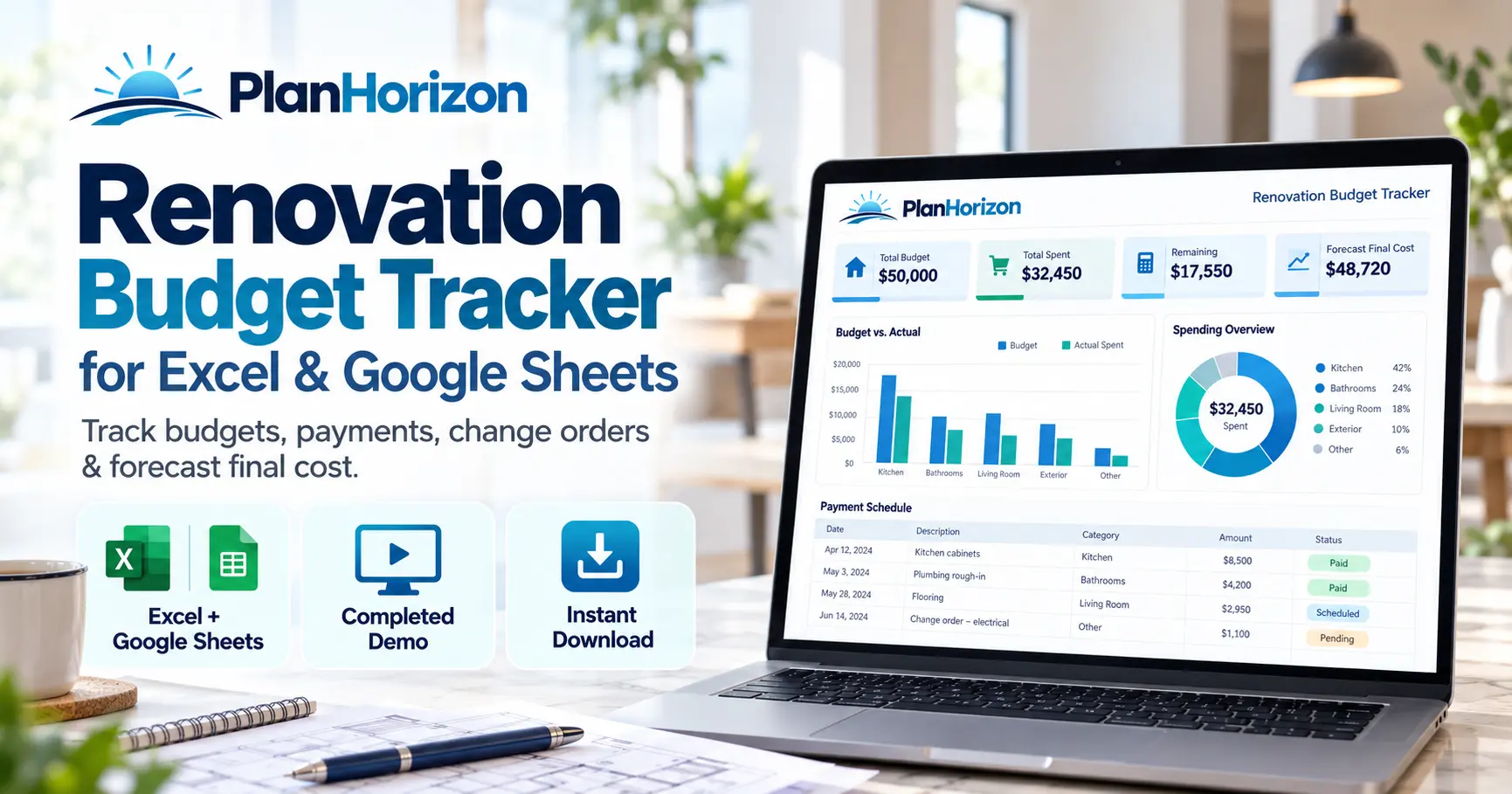
RENOVATION PLANNING SPREADSHEET
Renovation Budget Tracker for Excel & Google Sheets
Plan your renovation budget, record committed costs, track payments and approved change orders, and see your forecast final cost in one connected spreadsheet built for real home projects.
✓ Excel + Google Sheets
✓ Completed Demo
✓ Instant Digital Download
Track: Estimates · Commitments · Payments · Change Orders · Room Budgets · Forecast Final Cost
WHEN THE PROJECT STARTS MOVING
A Renovation Budget Changes After the First Estimate
A basic home renovation budget template tells you what you planned to spend. A useful renovation budget tracker also shows what you have committed to spend, what you have actually paid, what changed during the project, and what the renovation is now forecast to cost.
02 · Commit
What you have agreed to pay.
03 · Pay
What has actually been paid.
04 · Change
Approved additions or credits.
05 · Forecast
What the project is expected to cost.
ONE CONNECTED VIEW
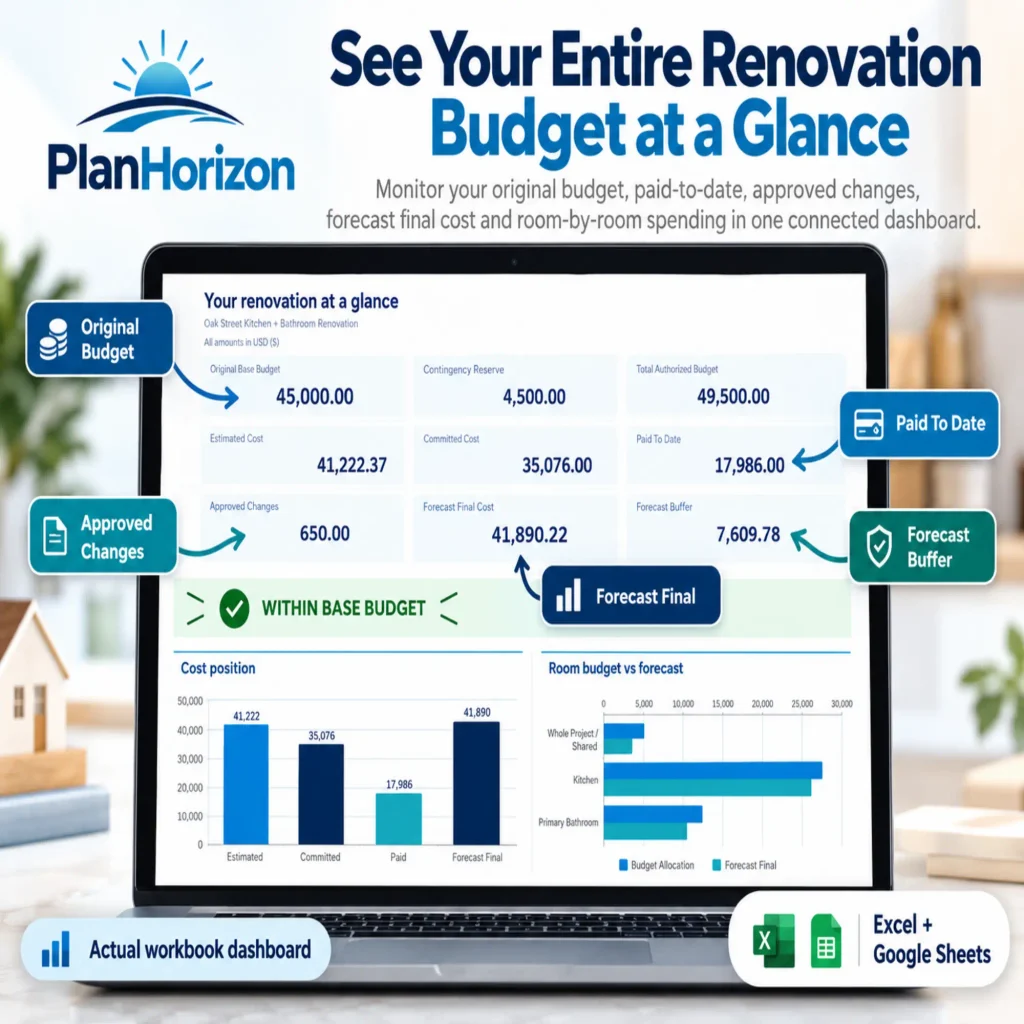
See Your Renovation Budget at a Glance
The dashboard turns your renovation cost tracker into a clear project overview instead of another spreadsheet full of disconnected numbers.
- Original base budget
- Contingency reserve
- Total authorized budget
- Estimated cost
- Committed cost
- Paid to date
- Approved changes
- Forecast final cost
- Forecast buffer
- Room budget vs forecast
MORE THAN BUDGET VS ACTUAL
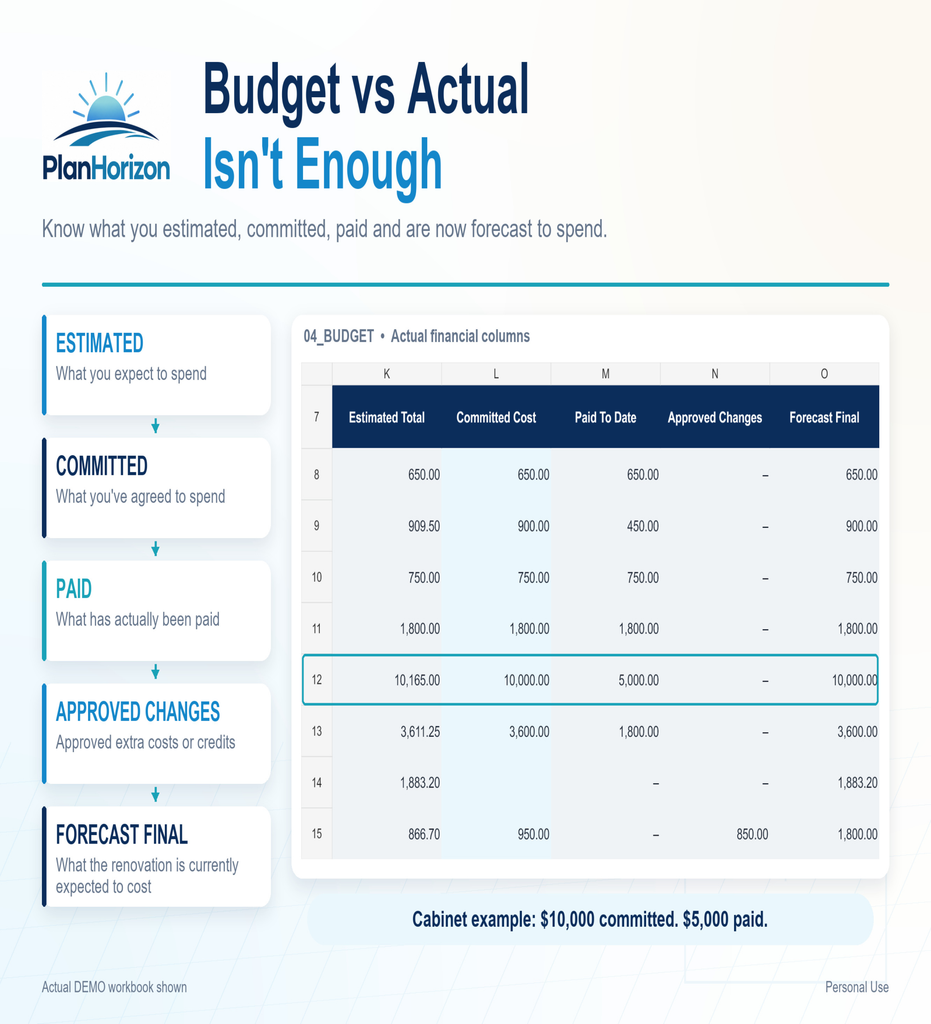
Know What You Planned, Committed, Paid and Are Forecast to Spend
A simple remodel cost tracker often treats every number as either budgeted or spent. This renovation budget spreadsheet separates the stages of spending so you can understand where the project actually stands.
Estimated Cost
What you currently expect an item or scope of work to cost.
Committed Cost
What you have actually agreed to pay.
Paid To Date
What has actually been paid, net of refunds.
Forecast Final
What the renovation is currently expected to cost after commitments and approved changes.
INSIDE THE WORKBOOK
Seven Connected Renovation Planning Worksheets
Each worksheet has a specific job, allowing your home remodel budget to move from early estimates to real payments without losing the connection between the numbers.
Start Here
Learn the workflow and understand which areas you edit.
Project Setup
Set budget, contingency, tax, currency and project dates.
Dashboard
See the important renovation budget numbers together.
Rooms
Allocate your renovation budget room by room.
Budget
Track estimates, commitments, payments and forecast cost.
Payments
Record deposits, progress payments, final payments and refunds.
Change Orders
Keep pending, approved and rejected project changes separate.
Completed Demo
See a realistic example before entering your own project.
Quick Start Guide
Follow the included instructions when setting up your tracker.
SIMPLE WORKFLOW
How the Renovation Budget Tracker Works
You do not need advanced Excel skills. Work through the project in order and let the connected calculations handle the financial rollups.
01 · Set Up
Enter your renovation budget, contingency, dates, tax settings and currency.
02 · Allocate Rooms
Decide how much of the base budget belongs to each room or project area.
03 · Build the Budget
Add project items, quantities, unit costs and expected costs.
04 · Record Payments
Update committed costs and log money as it is actually paid.
05 · Manage Changes
Record additions or credits and approve them when decisions become final.
06 · Watch the Forecast
Use the dashboard to see what the renovation is currently expected to cost.
REAL RENOVATION CASH FLOW
Keep Pending Decisions Separate From Approved Costs
Renovation costs rarely stay exactly as first planned. The tracker keeps possible changes visible without treating them as final until you actually approve them.
Pending Change Order
Record a proposed cost without adding it to the official project forecast yet.
Approved Change Order
Once approved, the cost impact contributes to the project’s forecast final cost.
Pending Payment
A payment that has not actually been made does not inflate the Paid To Date figure.
Refund
A paid refund reduces Paid To Date so the tracker reflects net cash actually spent.
USE THE FORMAT YOU PREFER
Excel Renovation Budget Spreadsheet + Google Sheets Version
Your purchase includes the renovation budget tracker for Microsoft Excel plus Google Sheets copies of both the clean workbook and completed demo.
- Clean Excel workbook
- Completed demo Excel workbook
- Clean Google Sheets copy
- Completed demo Google Sheets copy
- Quick Start Guide
- Personal-use license
PLANHORIZON
Renovation Budget & Cost Tracker
A practical home renovation budget planner for people who want more visibility than a basic expense spreadsheet.
ESTIMATE FIRST, THEN TRACK
Building Your Renovation Budget?
Use HomeBuild Metrics calculators to estimate common project materials, then add those costs to your renovation budget spreadsheet as your planning becomes more detailed.
COMMON QUESTIONS
Renovation Budget Tracker FAQs
What is a renovation budget tracker?
A renovation budget tracker organizes project estimates, committed costs, payments and budget changes. This spreadsheet also calculates a current forecast final cost so you can compare where the project is heading with the budget available.
Does the renovation budget spreadsheet work in Google Sheets?
Yes. The product includes Microsoft Excel workbooks and access to Google Sheets copies of both the clean tracker and completed demonstration workbook.
Can I track renovation payments and refunds?
Yes. Paid transactions contribute to Paid To Date while pending or cancelled transactions do not. Paid refunds reduce the total so the workbook reflects net money paid.
How are renovation change orders handled?
Change orders can be recorded as Pending, Approved or Rejected. Only approved changes affect forecast final cost.
Can I track more than one room?
Yes. The tracker lets you allocate budget by room or project area and compare those allocations with the current forecast.
Does the spreadsheet convert currencies?
No. You can choose the currency used to label the project, but the spreadsheet does not perform live currency conversion.
PLAN THE WHOLE PROJECT
Know Where Your Renovation Money Stands
Bring estimates, commitments, payments, approved changes and forecast final cost together in one renovation budget tracker for Excel and Google Sheets.